Quantum Travel & Route Planning
Quantum Travel (QT) allows your ship to warp across planetary distances and star systems at superluminal speeds. It is operated entirely within NAV Mode.
Spooling & Calibration
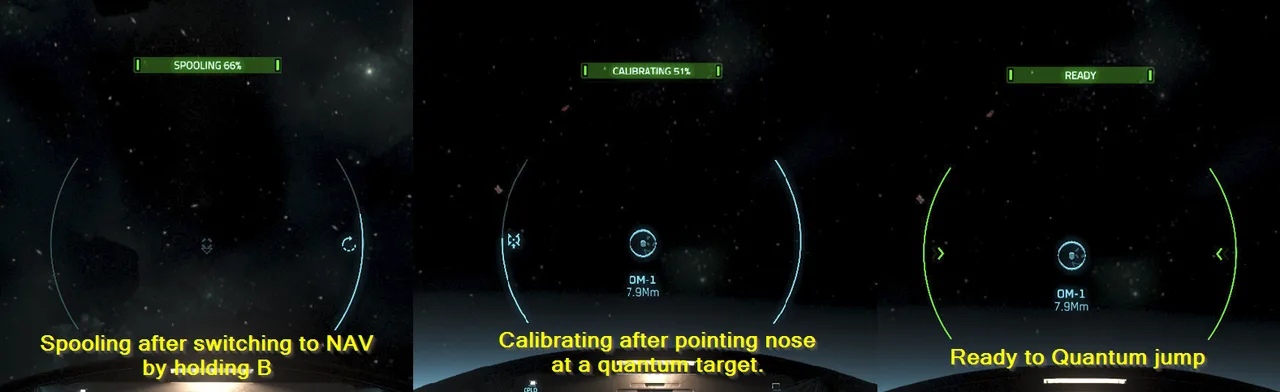
- Enter NAV Mode: Hold B to enter Navigation Mode and power up your Quantum Drive.
- Locate Target: Aim your ship nose directly at a quantum destination marker (green icon on HUD).
- Automatic Spooling: Your Quantum Drive will automatically begin spooling (charging) and calibrating (aligning) once aimed at the marker.
- Initiate Jump: Once both indicators reach 100%, press and hold Left Mouse Button (LMB) to jump.
Quantum Spooling
Using the Starmap & Setting Routes
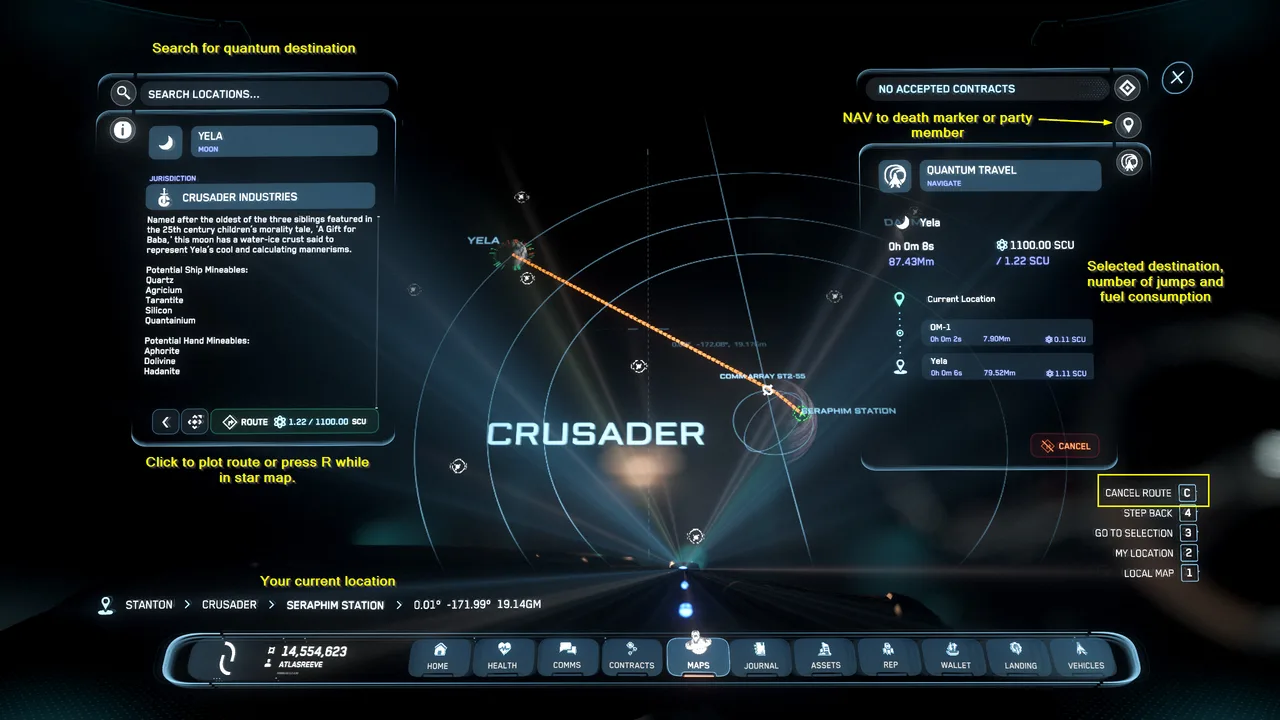
To travel to locations obscured by planets or beyond direct sightlines, use the mobiGlas Starmap.
Route Planning Steps
- Open Starmap: Press F2 to open mobiGlas and go directly to the Starmap app (or press F2 as a direct shortcut).
- Select Destination: Double-click on a planet, moon, or space station to zoom in, then click your target.
- Set Route: Click Set Route at the top of the display. A blue route line will link your current position to the destination via intermediate jump points.
- Execute Jump Sequence: Align with the first waypoint marker (dashed blue line), wait for spooling/calibration, and hold LMB to initiate the first leg.
Starmap Navigation
Quantum Obstacles & Interdiction
- Obstructed Targets: If a destination is directly behind a planet or moon, the marker will appear dashed or red. Jump towards planet or an orbital marker (OM-1 through OM-6) first to clear the horizon, then attempt navigation via starmap again.
- Atmospheric Suppression: You cannot spool Quantum Travel while inside low-altitude planetary atmospheres. Use NAV Mode to ascend vertically until the altitude warning clears.
- Emergency Dropping: Hold B to exit NAV mode or press Hold X (Spacebrake) to drop out of quantum travel mid-jump.
Essential Quantum Keybinds
• Open Starmap: F2 (or F1 → Starmap)
• Master Mode Toggle (NAV / SCM): Hold B
• Initiate Quantum Jump (100% Spooled): Hold LMB
• Clear Set Route (Starmap): Click Clear Route in mobiGlas
• Emergency Drop / Exit NAV: Hold B