Medical Imprints & Regeneration Overview
In Star Citizen, dying drops loot stored in your backpack and armor, your equipped items persists through death. To control where you clone/respawn after death, you must set your Medical Imprint at a designated medical facility or compatible ship.
If you do not set a custom imprint, your default respawn location remains the primary starting city you chose when creating your character or when you change primary residence after a patch drops.
Types of Medical Facilities & Ranges
Medical facilities are divided into tiers that dictate treatment capabilities, range limits, and MedGel resource consumption:
Medbed
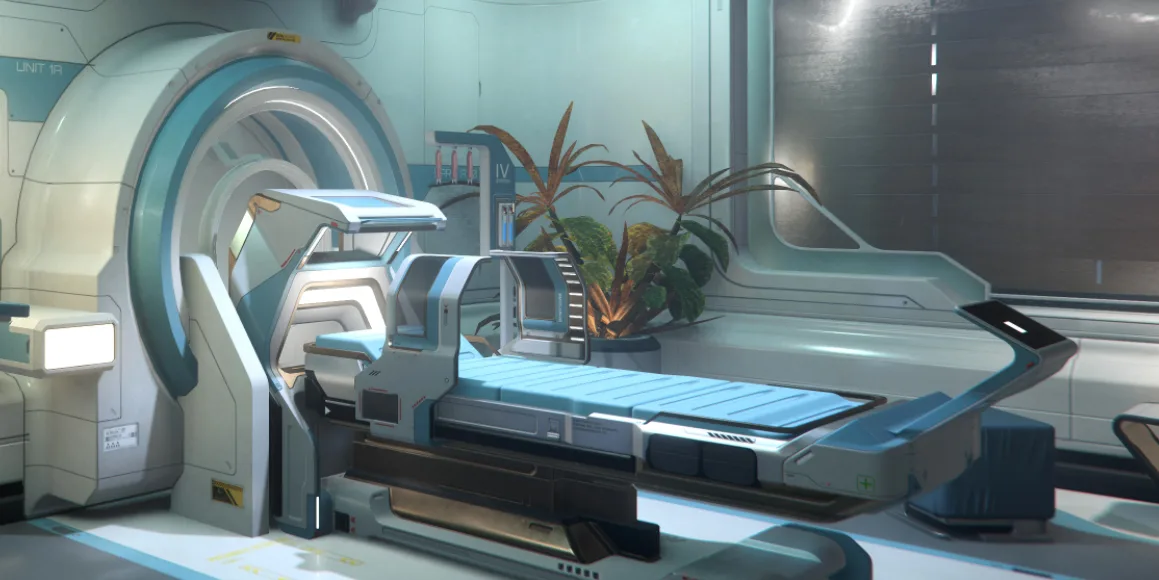
1. Major Hospitals & Primary Stations (Tier 1)
- Locations: Primary landing zones (New Babbage, Lorville, Area18, Orison) and major orbital stations (Seraphim, Pyro Gateway) etc.
- Capabilities: System-wide regeneration imprints and full treatment for severe Tier 1–3 injuries.
2. Station Clinics & Exploration Ships (Tier 2)
- Locations: Orbital R&R stations and heavy ships (Carrack, 890 Jump, RSI Apollo).
- Capabilities: Regional/planetary regeneration imprints (up to 8,000 km range) and Tier 2/3 injury treatment.
3. Tactical Field Medics & Snub Ships (Tier 3)
- Locations: Ground vehicles (RSI Ursa Medivac) and light rescue ships (Cutlass Red, C8R Pisces).
- Capabilities: Local tactical respawns only (50 km range limit). Requires active MedGel reserves in the bed to process regeneration.
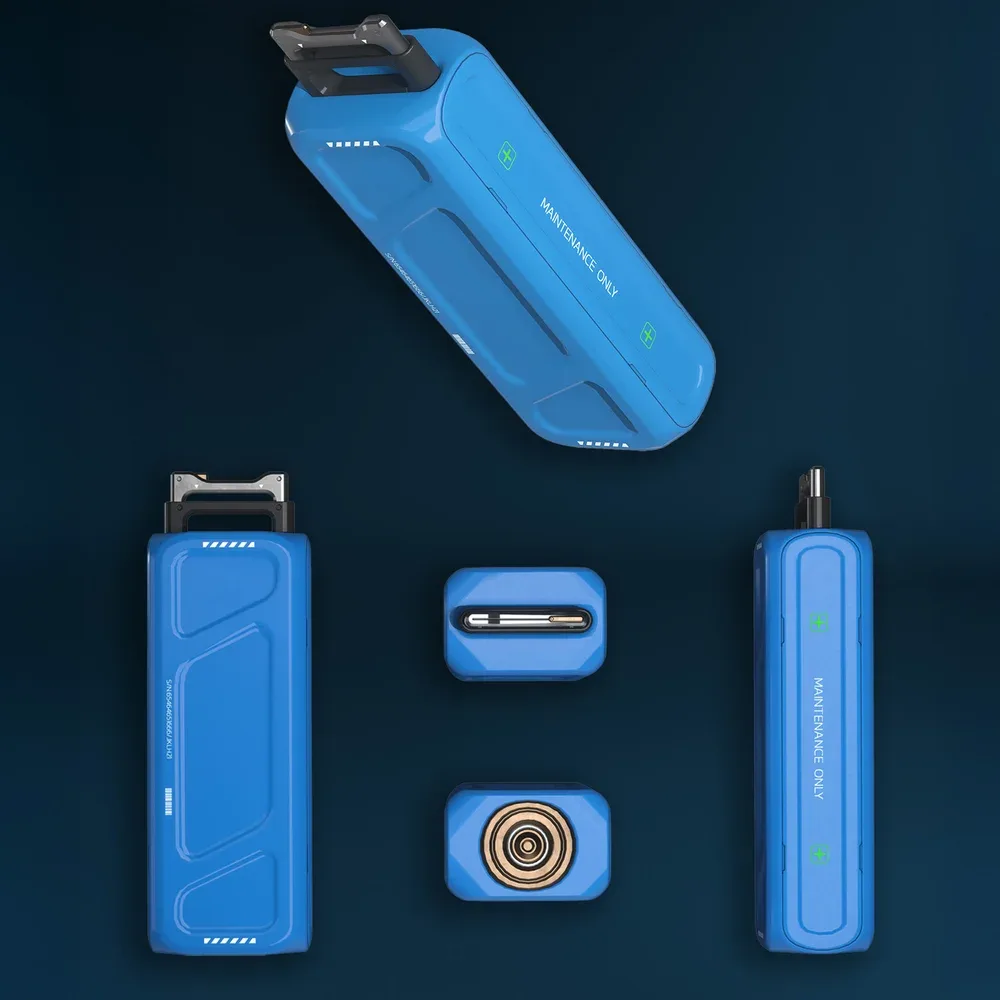
One MedGel is good for two revives, if you use the bed to heal your injuries you will deplete partial medgel.MedGel costs 100k aUEC per canister, it is generally better to scrap your ship/vehicle in the ASOP and claiming a new one for free if you deplete them. Pancea MedGel Canister can be purchased at medical facilites, find the closest shop on CStone: Universal Item Finder!
Pancea MedGel Canister
How to Set Your Respawn Location (Step-by-Step)
Setting your imprint at an orbital space station close to your active mission area minimizes transit time if you die.
- Locate the Medical Center: Travel to the station or city medical department (marked as Clinic, Hospital, or Insurance/Regeneration).
- Access Registration Kiosks: Head to the patient check-in area or insurance lounge and approach a Regeneration Terminal (different from the patient check in terminals).
- Initiate Transfer: Press F to interact with the screen and select Transfer Impression.
- Confirm Imprint: Select the current station from the list and click Confirm. A status message will verify your active imprint is updated.
Treating Injuries & MedGel Management
Patient Beds / Diagnostics: Interact with a patient check in terminal to get assigned to a room, find your room and lie down on the provided bed, select medical treatment and select the injury you wish to treat.
Ship Bed MedGel: Ship-based medical beds consume MedGel from onboard canisters to heal or regenerate players. Always verify MedGel levels before departing on combat ops.
Personal First Aid
• MedPen (Hemozal): Left-Mouse button to stab self, Right-Mouse button to stab other.
• ParaMed Medical Device: Press B to aim at self or shoot another player to heal. Requires a paramed refill when empty.
• Pyro RYT Multi-Tool: Equipped with a Lifeguard Medical Attachment & Lifeguard refill cannister.
MedPens
MedPen (Hemozal) - Restores health and stops bleeding
AdrenaPen (Demexatrine) - Reduces muscle tremors and weapon handling impairment
OpioPen (Roxaphen) - Reduces pain, movement penalties, and severe weapon sway
CorticoPen (Sterogen) - Reduces effects of head injuries and chest impairments
DetoxPen (Resurgera) - Lowers Blood Drug Level (BDL) from medical overuse
DeconPen (Canoidide) - Counteracts radiation exposure and environmental toxicity
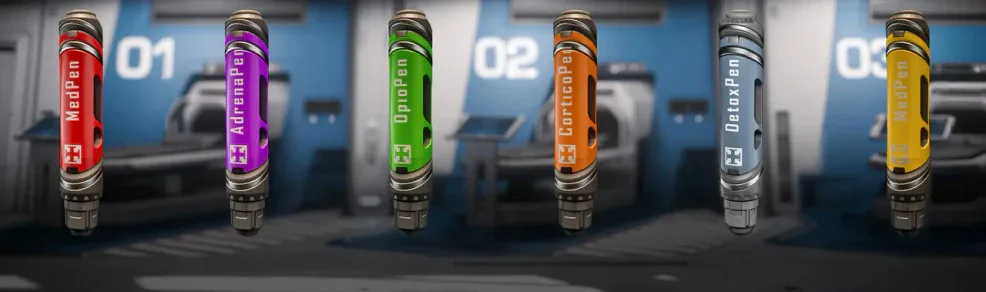
Tip: You can (in most cases) revive a downed player by stabbing them with a Hemozal MedPen.
ParaMed Medical Device
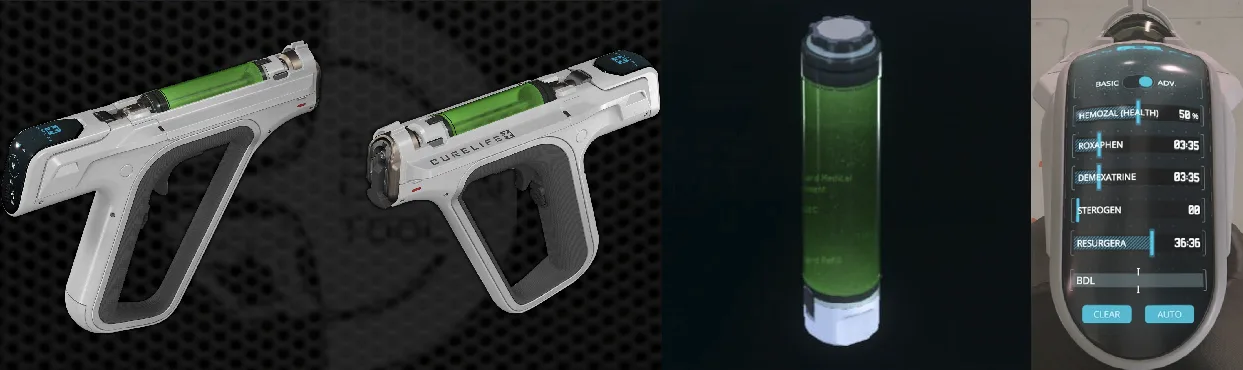
Tip: The ParaMed Medical Device has an advanced mode capable of administring any drug that comes in pen form, use inner voice (hold F) to swap modes on the display on the back of the gun.
Pyro RYT Multi-Tool with medical gadgets
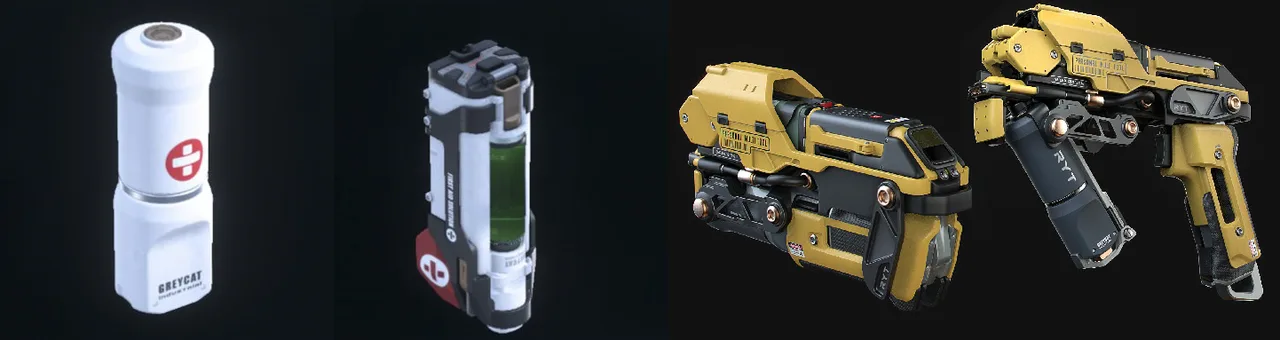
The Pyro RYT Multi-Tool requires both the Lifeguard Medical Attachment and Lifeguard refill cannister to function.
Essential Medical Keybinds
• Interact/Interaction Mode: Hold F for inner voice or tap F to interact with medical bed or terminal
• Equip ParaMed Medical Device when in pistol holster: 3
• Equip Pyro RYT Multi-Tool when holstered: 5 when in multitool holster or V when in knife holster
• Equip MedPen when equipped: 4
• Open Inventory: I