Theorycrafting Ship Loadouts Overview
Buying component upgrades in Star Citizen can quickly become an expensive trial-and-error loop. Purchasing a Quantum Drive or shield generator in-game only to discover your power plant cannot handle the load wastes both aUEC and flight time.
The community standard tool for outfitting ships externally is Erkul.games (DPS Calculator). It pulls live game data, allowing you to swap weapons, shields, power plants, coolers, and quantum drives in a browser to calculate real-time ship performance before spending a single credit.
As of recently Erkul also has community created loadouts for ships that you can browse.
How to use Erkul outfitting
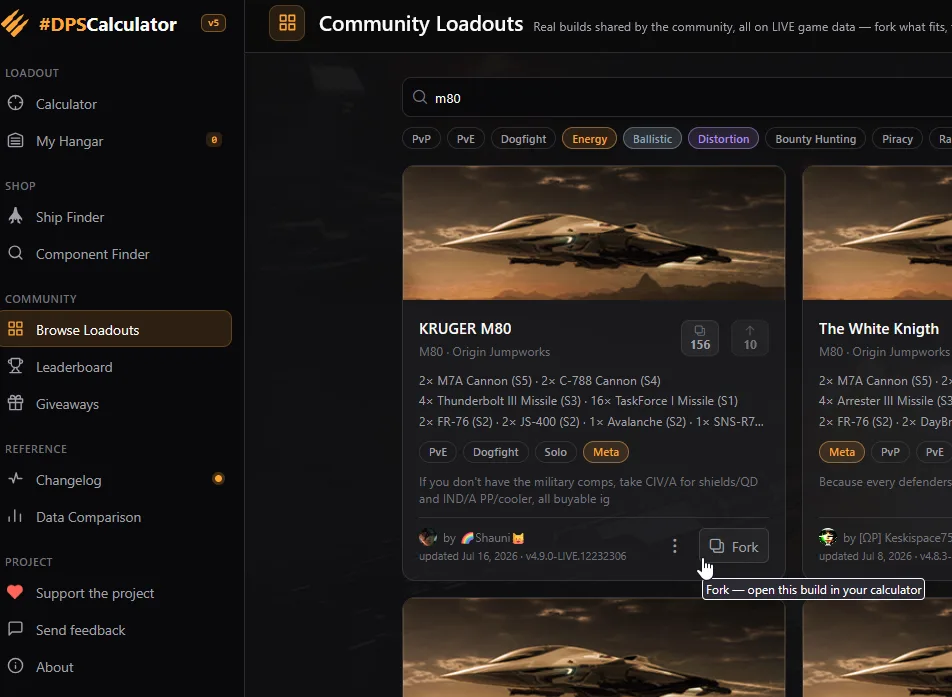
Open Erkul and navigate to "Browse loadouts", search for your ship then click fork on the loadout you like.
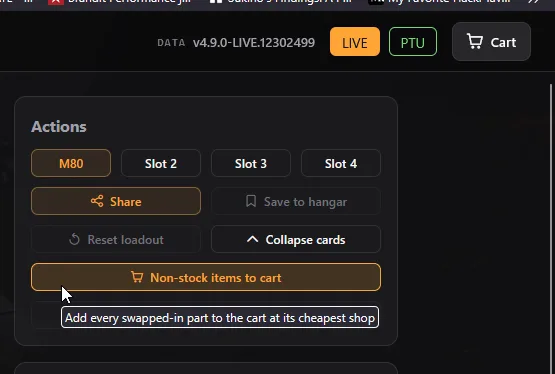
Forking brings all the components into your editor, from here click the "non-stock items to card" button.
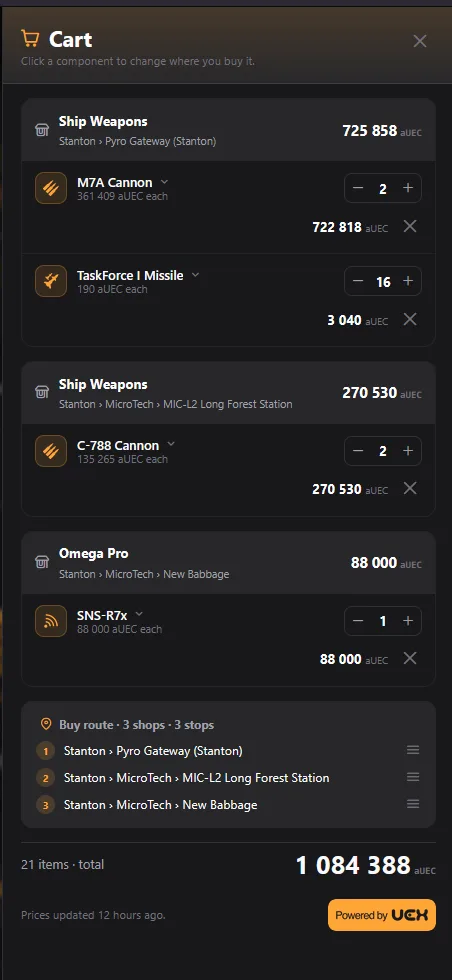
Open the shopping cart and you can see what items you need to purchase and at the bottom where to purchase them.
You can also look up items on CStone: Universal Item Finder