Inventory & Storage Overview
Star Citizen uses a localized inventory system. Items are physically tied to specific locations—such as a spaceport, a ship's onboard locker, a backpack, or your body armor—rather than existing in a universal global storage bag.
Types of Storage
1. Local City & Station Storage
- Access: Local storage terminals are available whenever you are inside a landing zone, space station, or major outpost.
- Capacity: Offers the largest storage capacity in the game.
- Use Case: Storing spare armor sets, weapons, extra ammo, components, and long-term loot collection.
Local Storage Terminals
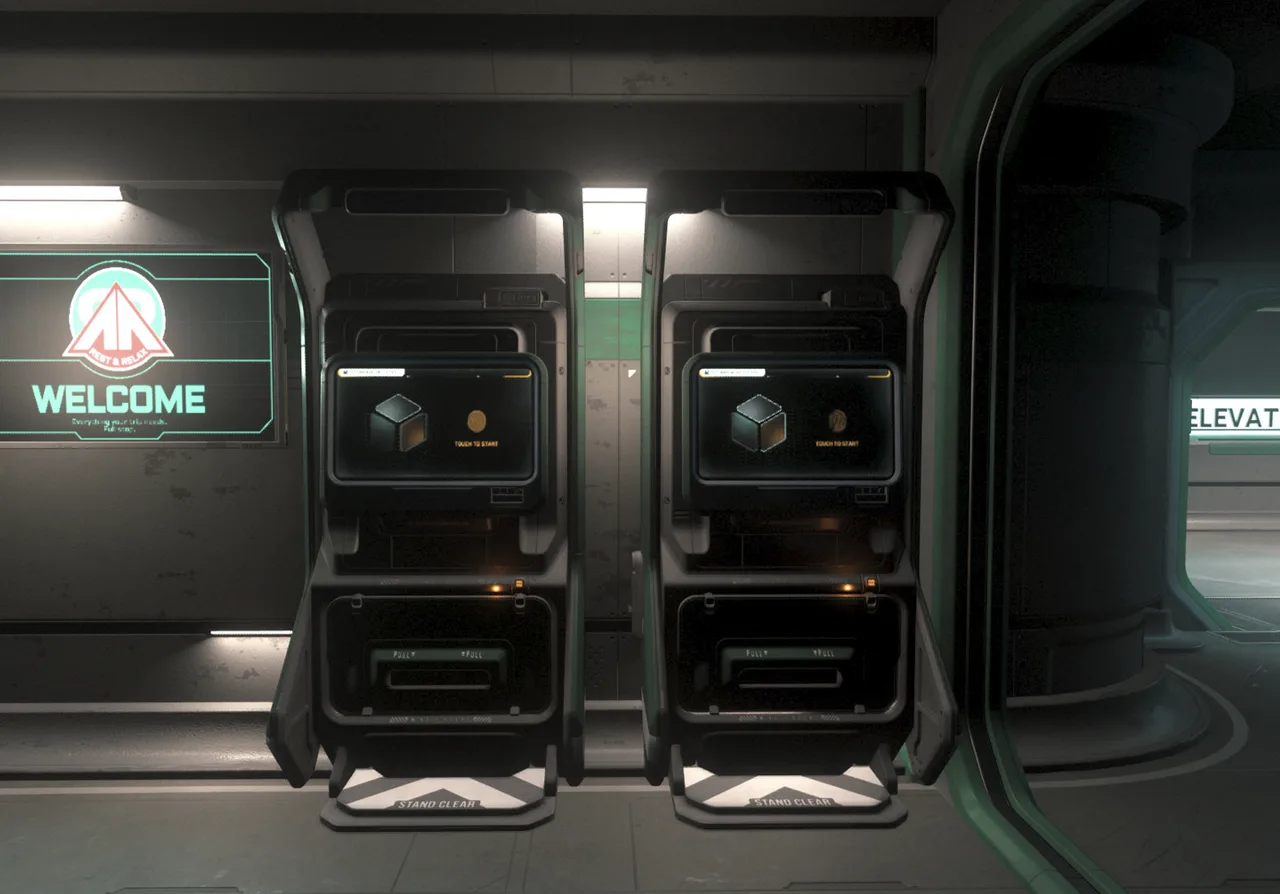
You will find local storage terminals dotted throughout stations and cities and some facilities like ASD Onyx. Remember that these storages are local and most of your items will likely be stored at your home location. So if you leave something behind on a station it stays on that station until you go collect it or until the next patch that resets your starting location.
2. Ship Inventory & Cargo Grids
- Ship Physical Storage: Most ships have onboard internal storage and gun racks accessible via external panels or interior lockers using F (Inner Thought). These inventories are not insured when you insure your ship and you will loose items stored here if you have an accident in the verse.
- Cargo Grid: A lot of ships have dedicated cargo grids on your ship floor where physical cargo boxes, containers, items and commodities lock down magnetically. You can view cargo grid sizes for different ships on SC Cargo Grid Optimizer
- Vehicle Containers: Larger ships allow placing movable storage boxes directly onto cargo grids for mobile inventory management. These boxes can be purchased at cargo centers, some shops and refineries. These Stor*All Storage Boxes come in 1/8 SCU, 1 SCU, 2 SCU, 4 SCU and 8 SCU and can be used to transfer your items between stations.
3. Personal Gear & Backpacks
- Armor Slots: Light, Medium, and Heavy armor pieces feature attachments for ammo mags, utility tools, medical pens, and small sidearms.
- Backpacks: Must be equipped onto a compatible torso armor piece, backpacks come in medium and heavy variants.
- Light Armor: Small personal inventory or micro-pouches only.
- Medium Armor: Capable of carrying medium backpacks (suitable for small loot runs).
- Heavy Armor: Supports large backpacks (essential for bunker looting and hand-mining).
Some backpacks to get you started
Medium Backpacks (Requires Medium or Heavy Torso)
- Aril Backpack: 127,500 μSCU
- CSP-68M Backpack: 105,000 μSCU
- Sinkhole Backpack: 105,000 μSCU
Heavy Backpacks (Requires Heavy Torso Only)
- Novikov Backpack: 180,000 μSCU
- Pembroke Backpack: 180,000 μSCU
- Morozov-CH Backpack: 150,000 μSCU
- CSP-68H Backpack: 150,000 μSCU
Find out where to buy these backpacks on CStone: Universal Item Finder
Managing Your Inventory Interface
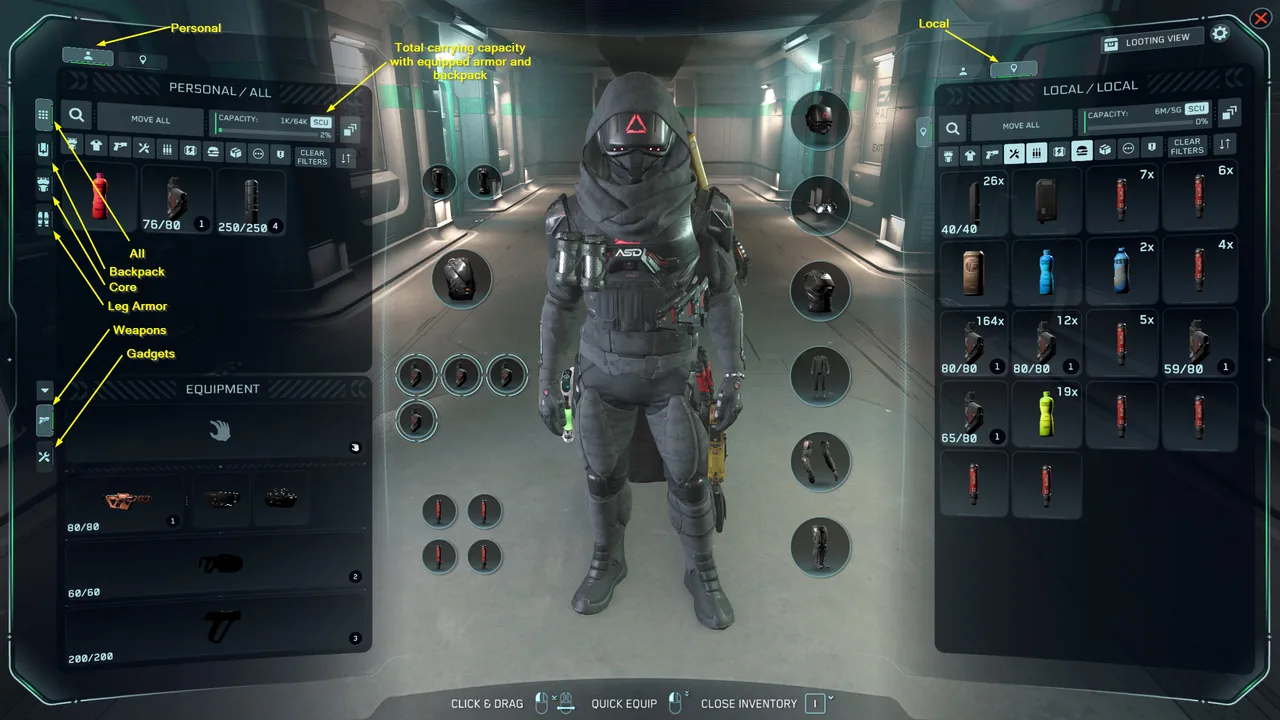
Press I to open the Inventory screen.
- Left Side: Displays your active personal inventory (Body, Armor, Backpack, or Current Ship).
- Right Side: Displays the local destination inventory (Station, City, or Ship Storage).
- Moving Items: Drag and drop items directly between the left and right columns, or Right-Click an item to select quick actions (Equip, Store, Move All, Drop).
- Filter Tabs: Use the top icons (Weapons, Armor, Consumables, Utility, All) to quickly sort through cluttered inventories.
Inventory Overview
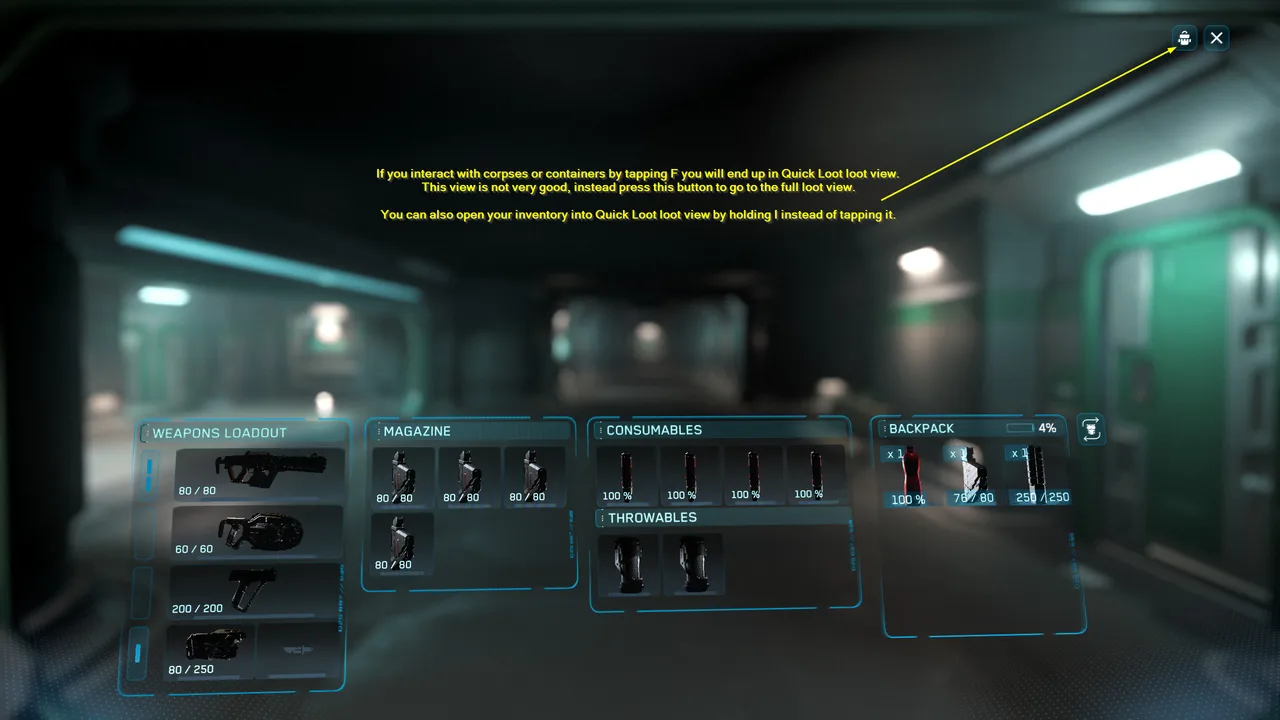
Star Citizen also has a quick loot view that is less than optimal. I recommend the normal view instead.
Essential Inventory Rules & Loss Prevention
- Death Consequences: Dying outside a armistice zone drops all the items you stored inside your backpack and armor, you keep what you have equipped and if you wish you can go back and recover your items by navigating to your death marker.
- Station Stash Safety: Items left in Local Station/City storage remain 100% safe if your ship is destroyed or reclaimed via insurance.
- Storing Before Flight: Transfer non-essential gear from your personal inventory to local station storage before heading into high-risk combat or planetary missions.
Essential Inventory Key binds
• Open Inventory: I
• Open mobiGlas: F1
• Interact / Search Bodies & Lockers: Tap F when looking at container/corpse or stand next to a container/corpse and press I! • Quick Equip / Context Menu: Right-Click Item
• Drop Held Item: Left-Alt + J