City Transit & Metro Systems Overview
Major landing zones across the Stanton system rely on planetary transit networks (trains, trams, and shuttles) to move pilots between Spaceports, Habitation Districts, and Commercial Centers.
Because landing zones enforce strict low-altitude flight restrictions, you cannot fly directly to city shops or habs—you must land at the spaceport and take public transit.
Landing Zone Transit Networks
1. New Babbage (microTech)
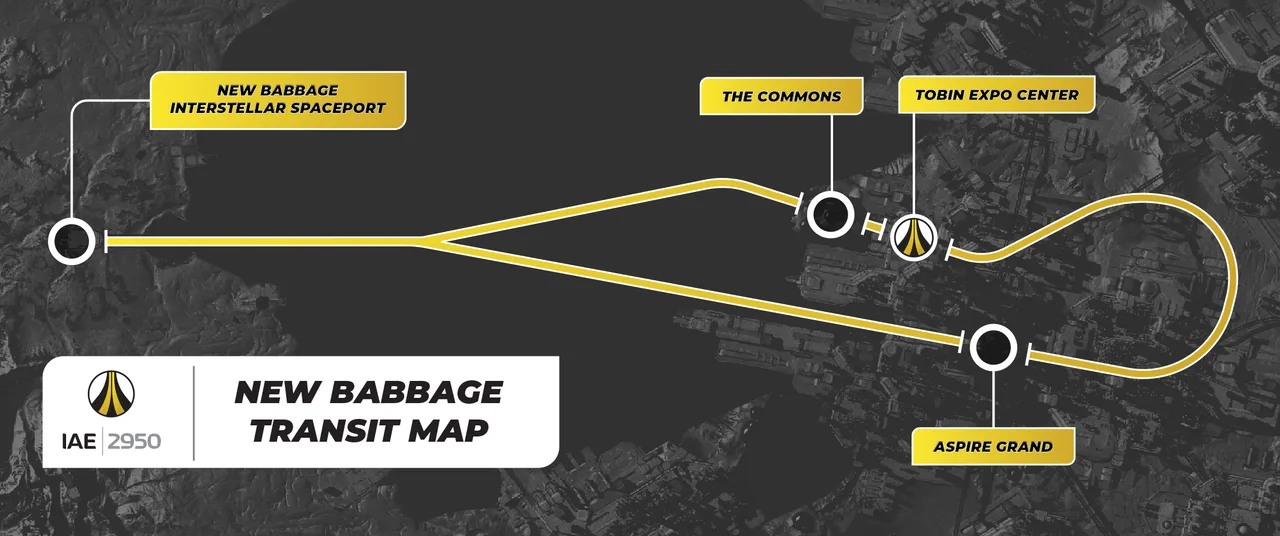
- Transit Type: Hyperloop Trains.
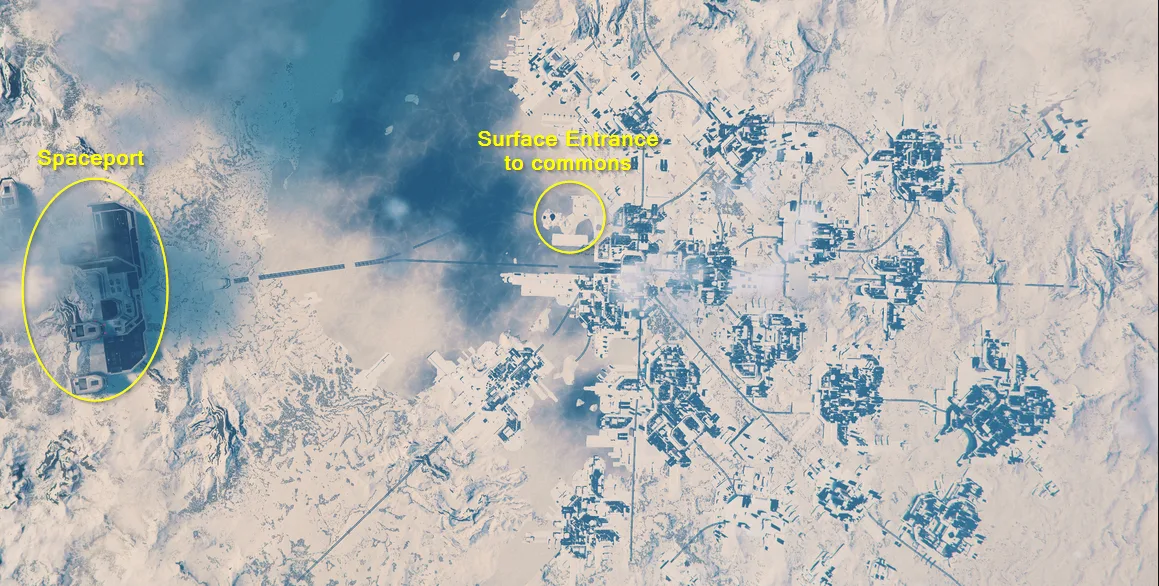
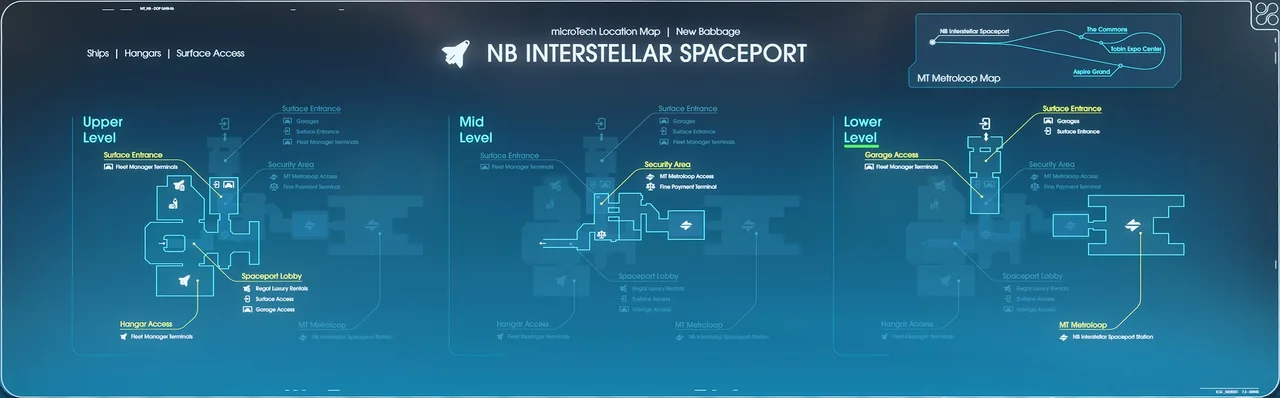
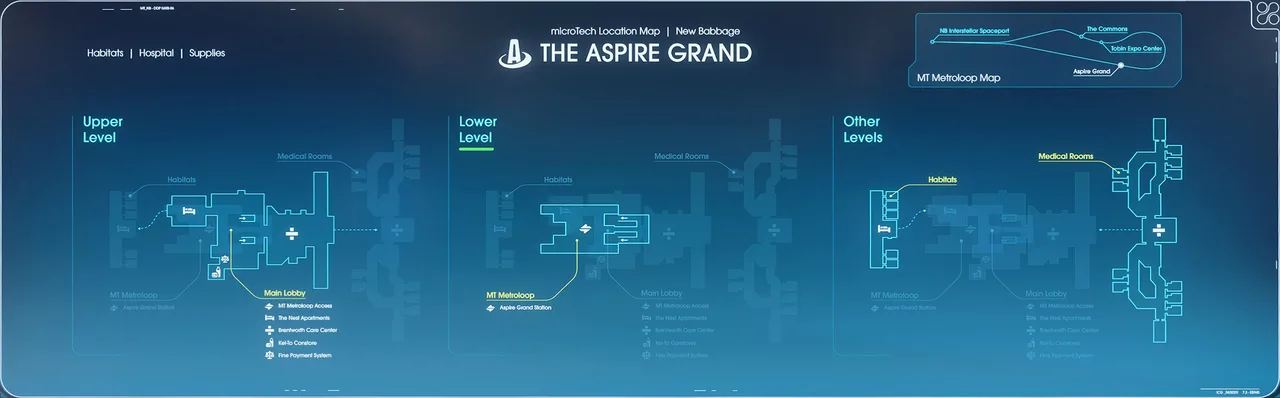
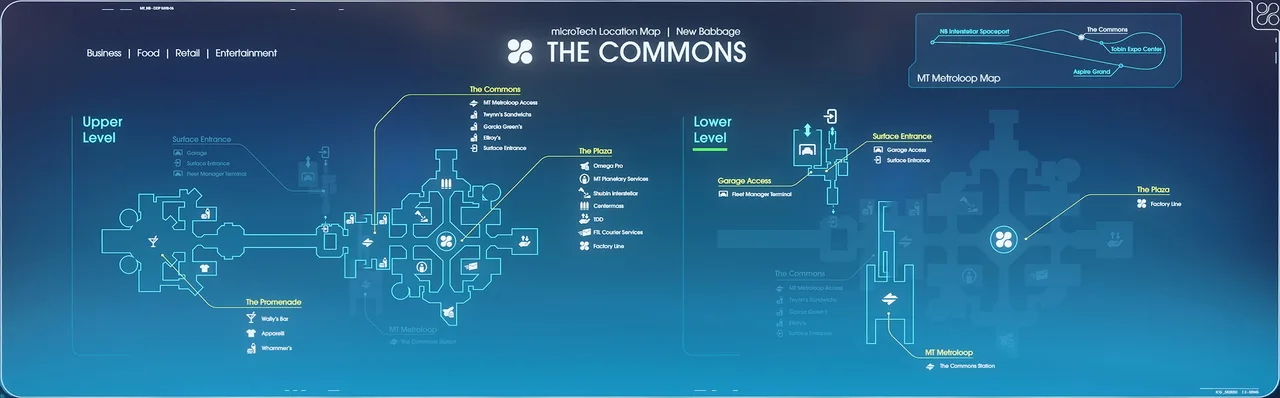
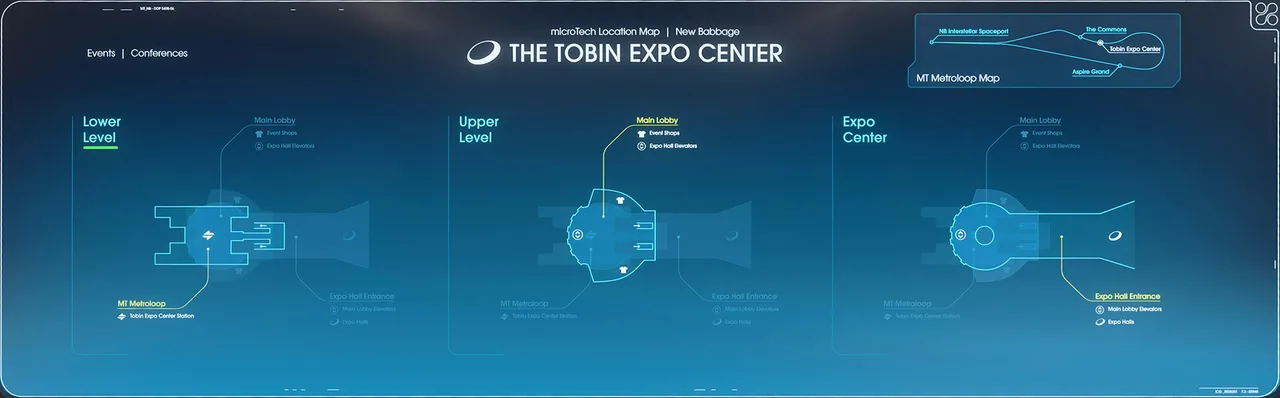
- Key Stops: NB International Spaceport, Commons (shops/armor/weaponry), and Plaza (Habitations/Hospital).
Pilot Tip: The Commons features an exterior surface entrance. You can land ships outside the Commons domes to bypass the train entirely.
New Babbage Maps
2. Lorville (Hurston)
- Transit Type: Perimeter & City Trams.
- Key Lines:
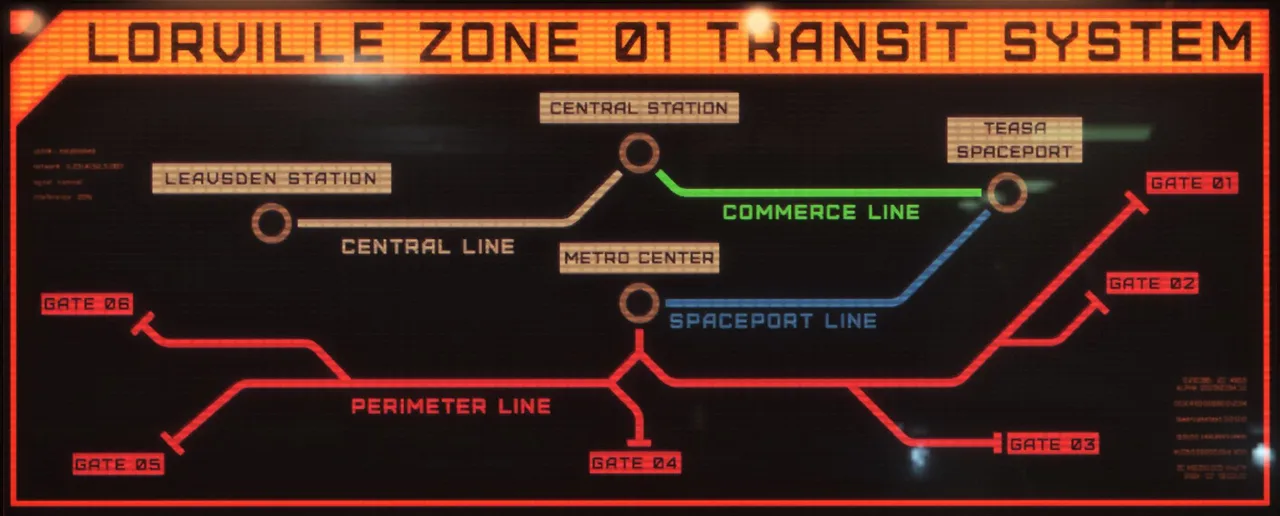
- Spaceport Line: Connects Teasa Spaceport to Metro Center.
- Perimeter Lines: Connect Metro Center to various City Gates (useful for ground vehicle departure).
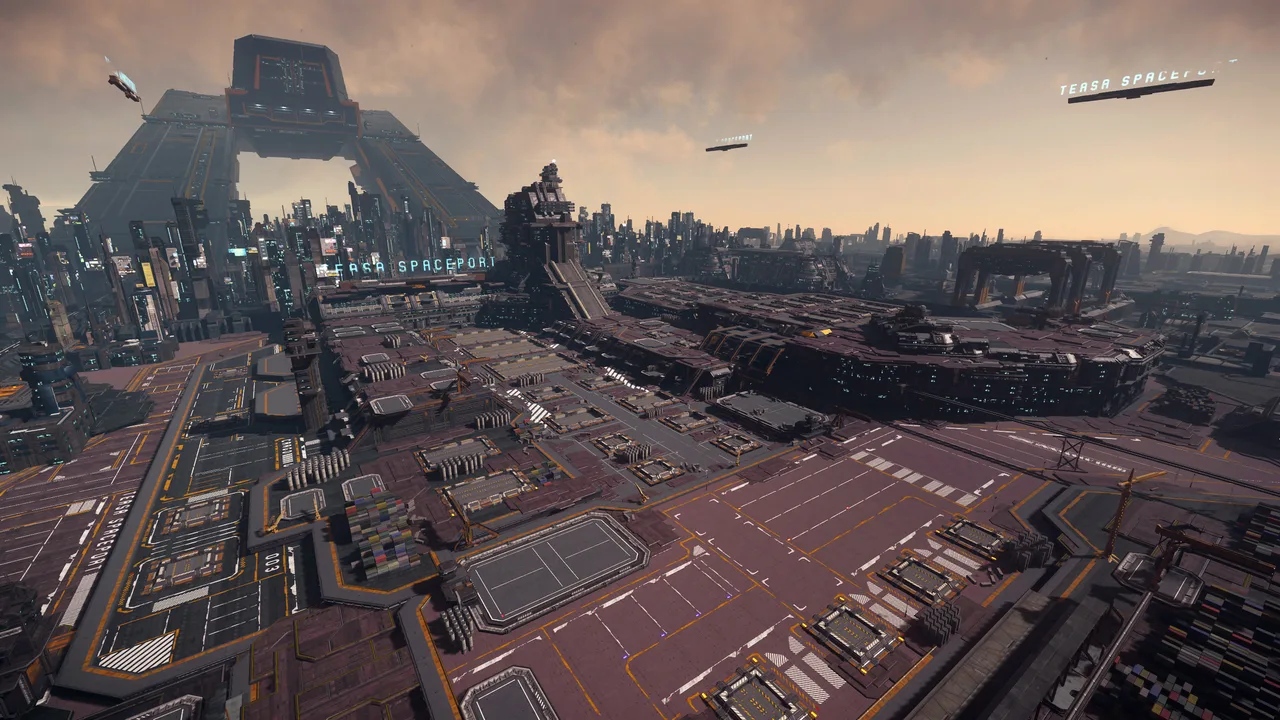
Pilot Tip: The landing zone is located in front of the huge building towering over Lorville, follow the hovering signs that say Tesa Spaceport. When in the metro, follow the overhead signage in Metro Center carefully, choosing the wrong platform will take you to an outer boundary gate instead of the commercial hub.
Lorville Maps
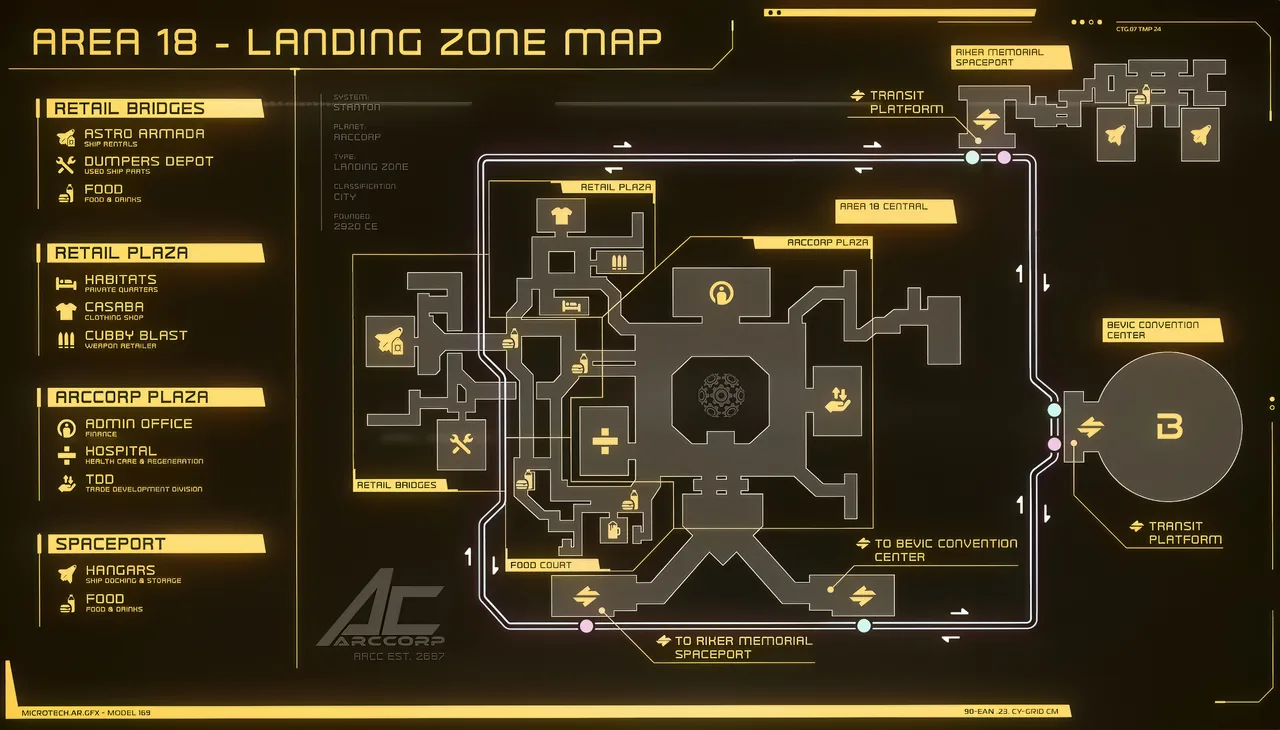
3. Area18 (ArcCorp)
- Transit Type: High-Speed Skylines (Flying Trams).
- Key Stops: Riker Memorial Spaceport $\leftrightarrow$ Plaza (Zone 18 Main Hub).
Pilot Tip: Keep an eye on the skyline views during transit to locate the central IO Tower and major commercial neon markers.
Area 18 Maps
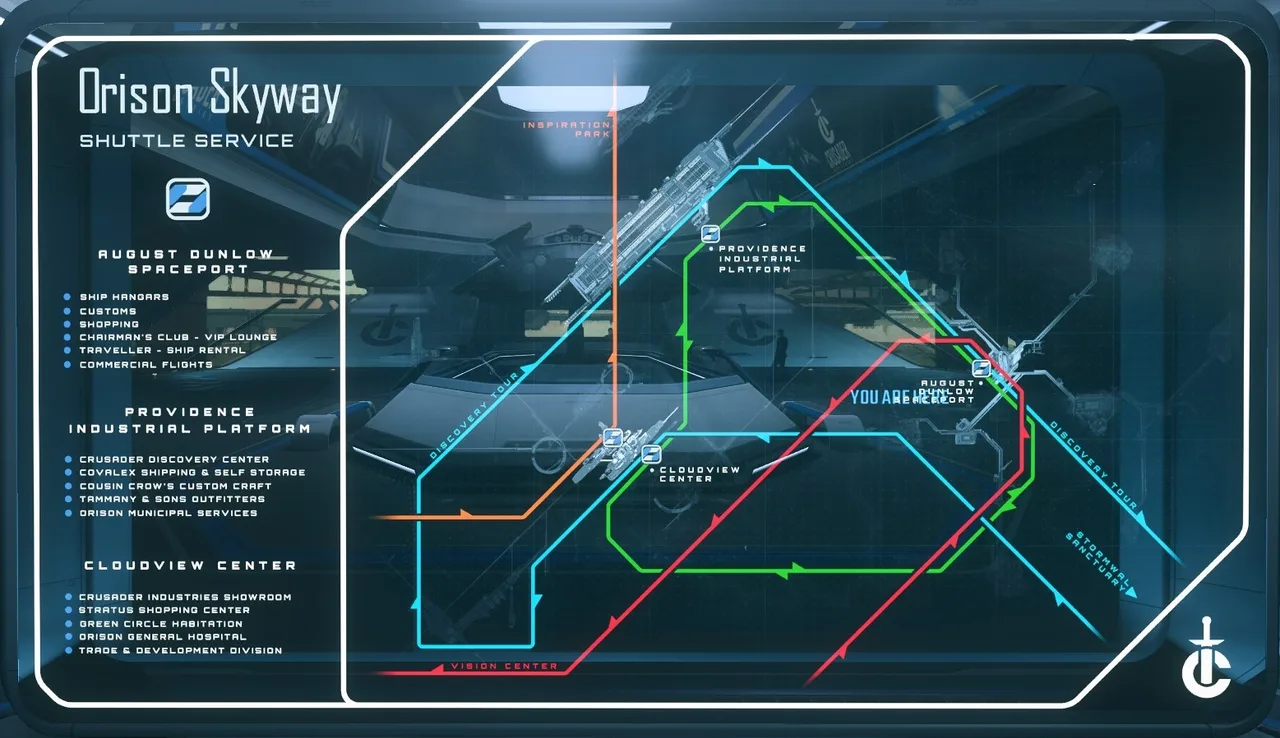
4. Orison (Crusader)
- Transit Type: Cloud Trams (Atmospheric Shuttles).
- Key Platforms: August Dunlow Spaceport, Cloudview Center (Shops/Habitations), and Providence Industrial Platform.
Pilot Tip: Orison's platforms are spread across massive atmospheric distances. Check shuttle station display boards for departure timers and destination platform labels before boarding.
Orison Maps
General Transit Rules & Survival Tips
- Watch Station Monitors: Digital displays above every tram door display the destination and exact time until arrival/departure.
- Do Not Cross Tracks: Falling onto active rails or missing a boarding threshold can result in instant death or clip issues.
- Store Gear First: If moving high-value commodities or gear, use local inventory at the spaceport before boarding city transit to minimize risk.
Essential City Navigation Keybinds
• Inner Thought / Interaction: Hold F
• Open Map: F2
• Open Inventory: I
• Remove Helmet: Left-Alt + H